Pokopia, native
on every device.
Play Pokémon Pokopia natively on your PC, Mac, phone or Steam Deck, built from your own copy of the game. No emulator, and free for good.
You build it on a PC or Mac (15 to 40 minutes), then play there, on a Steam Deck, or on your phone.
You need your own Pokopia dump (game version 2.0.1 or 1.0.5) and a PC or Mac to build on. The first build takes 15 to 40 minutes. What's new in 1.6.6
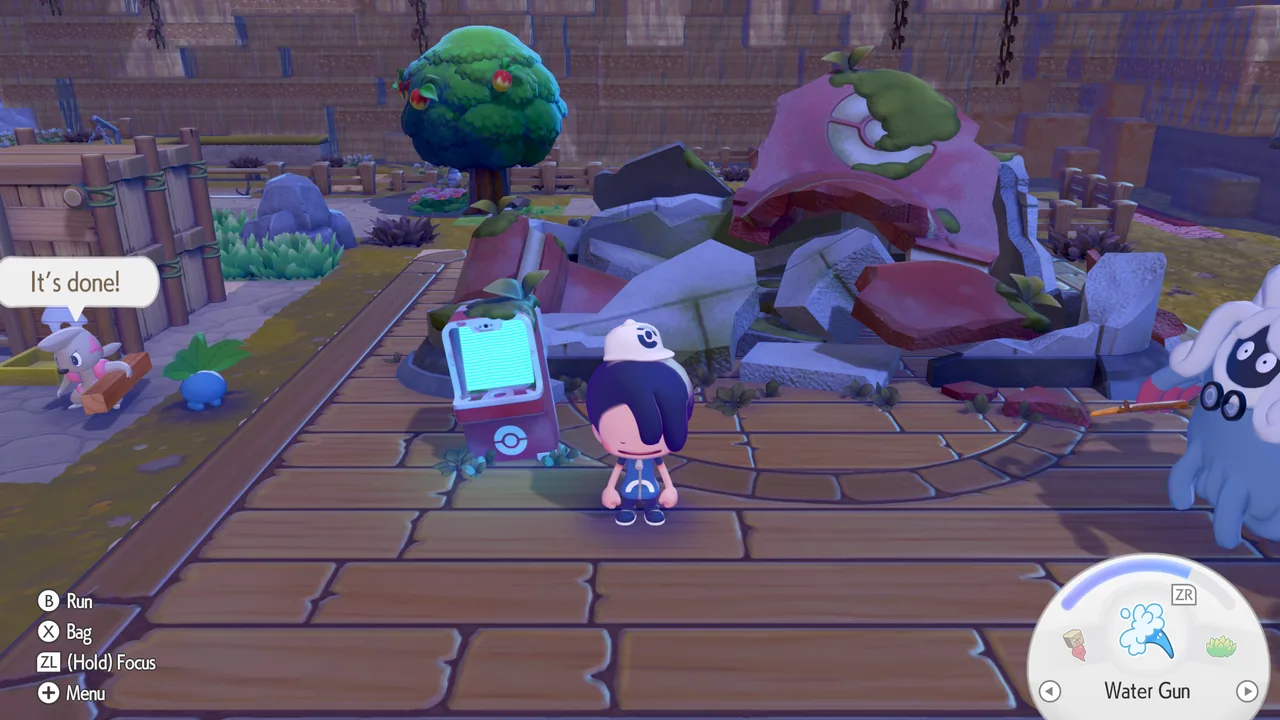 Windows, 4K
Download
Download Pokopia for your device
Each download builds the game on your own computer from your own dump.
Mac & iPhone
Apple silicon. The iPhone app needs a paid Apple Developer account
Download How to build and playAndroid
Snapdragon 8 Gen 1 or newer, made on a Windows PC
Mali phone? Pixel 6 to 9 and MediaTek phones: Android beta 4
Check your phone first How to build and playStuck while it builds? Ask on the Discord: install help is what it's there for.
New: Modtopia
Mods for Pokopia, and what the community is doing
Photo mode, your own music, the weather and the clock, and community achievements: 20 mods to start with.
Community achievements
What players are doing in Pokopia
 Fresh Start-players
 First Habitat-players
 Professor's Trust-players
 Wasteland Restored-players
 Beach Reclaimed-players
 Ridges Conquered-players
 Sky Touched-players
 Identity Revealed-players
 World Restored-players
 First Steps-players
 Wanderer-players
 Cartographer-players
 World Walker-players
 Peak Climber-players
 Night Owl-players
 Storm Chaser-players
 Hidden Path-players
 Secret Keeper-players
 Glowing Collector-players
 Lore Hunter-players
 Bridge Builder-players
 First Friend-players
 Growing Community-players
 Bustling Island-players
 Full House-players
 Dex Complete-players
 Recipe Collector-players
 Master Crafter-players
 Fossil Hunter-players
 Fashion Forward-players
 Transformation Master-players
 Home Sweet Home-players
 Habitat Creator-players
 Master Builder-players
 Architect-players
 Island Rating 3-players
 Island Rating 5-players
 Path Network-players
 Cloud Pioneer-players
 First Harvest-players
 Crop Diversity-players
 Seed Saver-players
 Fertilizer Master-players
 Midnight Harvest-players
 Master Chef-players
 Ditto's Memory-players
 Full Transform-players
 Speed Runner-players
 Peaceful Day-players
 Fashion Show-players
 Generous Spirit-players
Counted from players who share, under a random number: never a name or anything from a save.
All 51 achievements · The mod Pictures: the mod's own pixel art (MIT)
What you get
The whole game, made for your device
Smooth and sharp
Native speed, up to 4K on PC, with SMAA or FXAA.
One app
Build, play and update in one click, with a way back.
Mods
Photo mode, your own music, the weather and more, in one click.
Play together
Link Play for up to four, across any mix of devices.
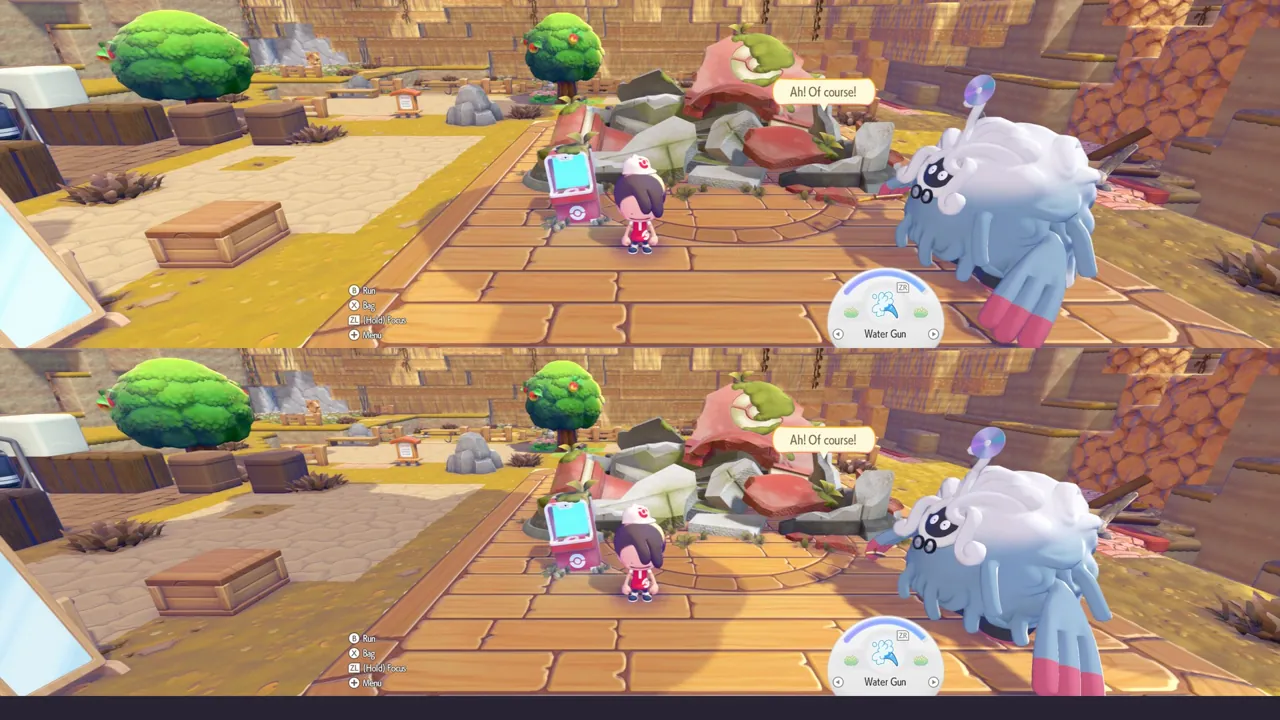
Split screen
Two players on one PC (experimental).
Made for the Deck
Tuned for its screen and its speed.
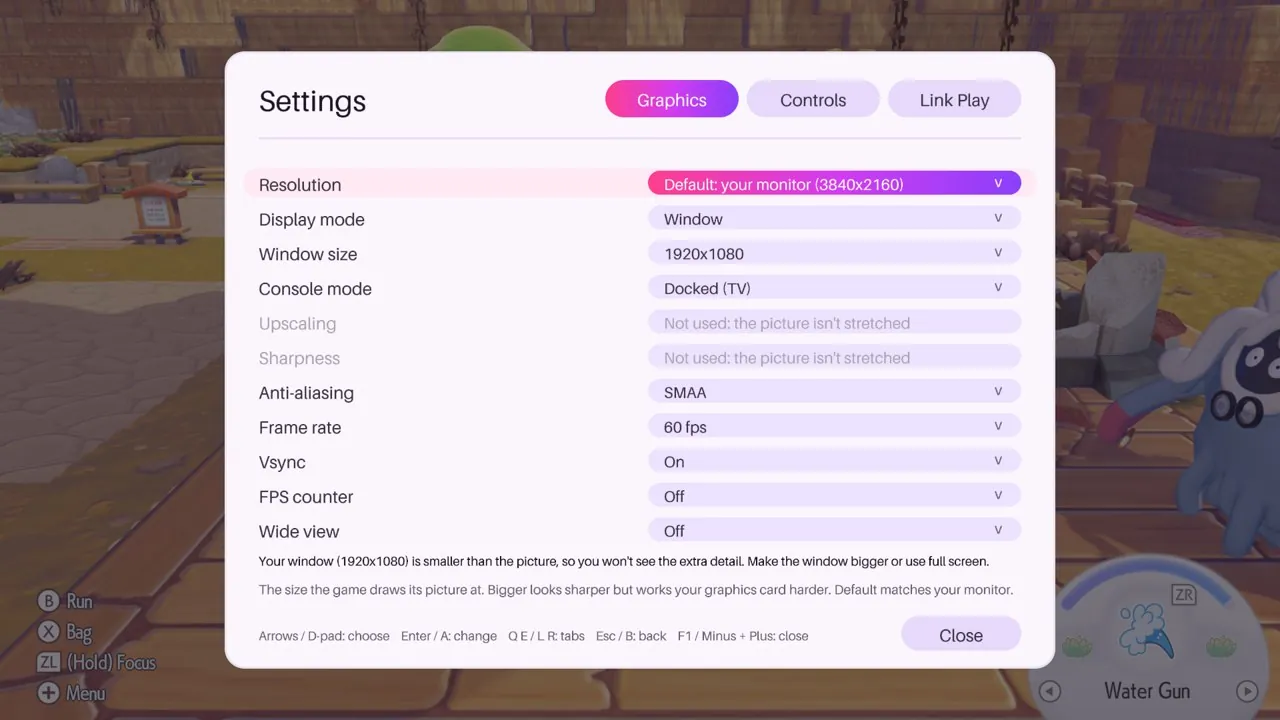
Settings in the game (F1 on a PC or Mac), Wide view for 21:9 screens, frame-rate caps, your own DLC, automatic port forwarding for internet play, and an update notice that downloads new versions for you.
How it works
A recomp, not an emulator
Three steps, on your own computer. The first build takes 15 to 40 minutes on a PC; updates take 10 to 20. How the Pokopia recomp works
Your game dump
Your own copy of Pokopia, game version 2.0.1 or 1.0.5, made with your dumping tool.
The Pokopia Native app
It finds your game files and recompiles the game for your device, then it's where you play, update and add mods.
A native game
Play it on your PC, Mac, phone or Deck, and pin it or add it to Steam.
Questions
Frequently asked
Is there a PC version of Pokémon Pokopia?
Not an official one. Pokopia Native rebuilds the copy you own into a native game for Windows, Mac, Linux and the Steam Deck, and into apps for iPhone and Android. It is free, and built on your own computer.
Is Pokopia Native a recomp?
Yes. It is a static recompilation (recomp): the game's code is translated ahead of time into a native program for your processor, and its graphics into Vulkan or Metal. That is why it runs at full speed with no emulator.
Can I play Pokopia on the Steam Deck?
Yes. The Linux download is one AppImage that builds the game on the Deck in Desktop Mode, tuned for its screen. Then add it to Steam from the app and play in Game Mode.
Is Pokopia Native an emulator?
No. The game's code is recompiled ahead of time for your processor, and its graphics are translated to Vulkan or Metal, so it runs as a native program with no emulator in between.
Do I need my own copy of the game?
Yes. Pokopia Native contains nothing of the game. You build it from your own dump of Pokémon Pokopia (game version 2.0.1 or 1.0.5, with its update), on your own computer.
Is it free?
Yes, and it always will be. Pokopia Native is free and open source (MIT). If anyone asks you to pay for it, or for anything made with it, it isn't us.
Which devices does it run on?
Windows 10 and 11 PCs, Macs with Apple silicon, iPhones (built on a Mac or a Windows PC and signed with a paid Apple Developer account), desktop Linux and the Steam Deck, and Android phones and handhelds with Snapdragon 8 Gen 1 or newer graphics (in beta).
Can I play with friends?
Yes. Link Play connects up to four players on any mix of devices, on the same Wi-Fi or over the internet, without Nintendo's servers. On Windows, online rooms need only a short code: no addresses, no router settings. Split screen lets two people play on one PC (experimental).
Who can see my connection in online rooms?
Online rooms connect through a relay run by Recompia, who let us use it. The relay sees players' IP addresses and keeps them in its logs; the game traffic itself is encrypted. A room you put in the room list can be joined by anyone who sees it there.
Can I bring my save?
Yes. The app (the builder on a Mac) imports a save you already have, and your save moves between a PC, a Mac, an iPhone and an Android phone.
Can I use mods?
Yes. Modtopia, made together with Recompia, brings mods to Pokopia on Windows, Linux and the Steam Deck: photo mode, your own music, the weather and the clock, community achievements and more. Install it and any mod in one click from the app.
What does my PC need?
Windows 10 or 11 (64-bit) with an AVX2 processor, a Vulkan 1.3 graphics card and about 12 GB free. Nothing else to install: the download carries its own Python and .NET.
How long does it take to build?
The first build takes 15 to 40 minutes on a PC (30 to 60 for Android). Updates take seconds when only Pokopia Native's own code changed, otherwise 10 to 20 minutes. The app tells you when there is a new version and updates in one click, with a way back.
Come hang out on Discord
Install help, co-op partners and release news.